How to Verify Your Binolla Account in 2026: KYC Steps, Documents and Approval Time

Verifying your Binolla account is one of the most important steps in the full account setup process. It helps confirm your identity, supports account security, and becomes especially relevant when you want to use financial features such as withdrawals. Binolla explains that verified accounts are required for withdrawals and that users may need to upload documents for review before payout requests can be completed.
This guide explains how to verify your Binolla account step by step, what documents are usually required, how the review process works, and what to expect before your account gains smoother access to funding and withdrawal functions.

🛡️ Why Binolla verification matters
Verification is not just a box-ticking exercise. On a trading platform, identity checks are closely tied to account protection, payout safety, and compliance procedures. Binolla makes this clear in its FAQ by stating that withdrawals are available to clients whose accounts have been verified.
That means even if your registration is complete and you can log in successfully, account verification still plays a critical role in your overall account journey. If your goal is to trade with confidence and avoid delays later, verification should be treated as an early priority rather than something left until the moment you want to withdraw.
What verification helps you do
A properly verified account supports:
- smoother withdrawal processing
- stronger account security
- better consistency between account data and official documents
- fewer issues when your financial activity is reviewed
If you have not created your account yet, complete the Binolla registration guide first before starting the KYC process.
📋 What you should prepare before starting KYC
Before opening the verification area, make sure your account information is accurate and matches your real identity. Binolla states that your personal information should be entered carefully from the beginning because key details such as name and email cannot be freely changed later without support review.
In practical terms, that means your verification documents should align with the information already connected to your account. If there is a mismatch, approval may take longer or require correction steps.
Typical items to prepare
Before you start, it is smart to have:
- a valid government-issued identity document
- a clear and readable image of that document
- access to your registered email account
- a stable internet connection
- time to complete the process carefully without rushing
The exact document list can vary depending on the verification flow shown in your account, but the safest assumption is that your identity information must be real, complete, and easy to confirm.
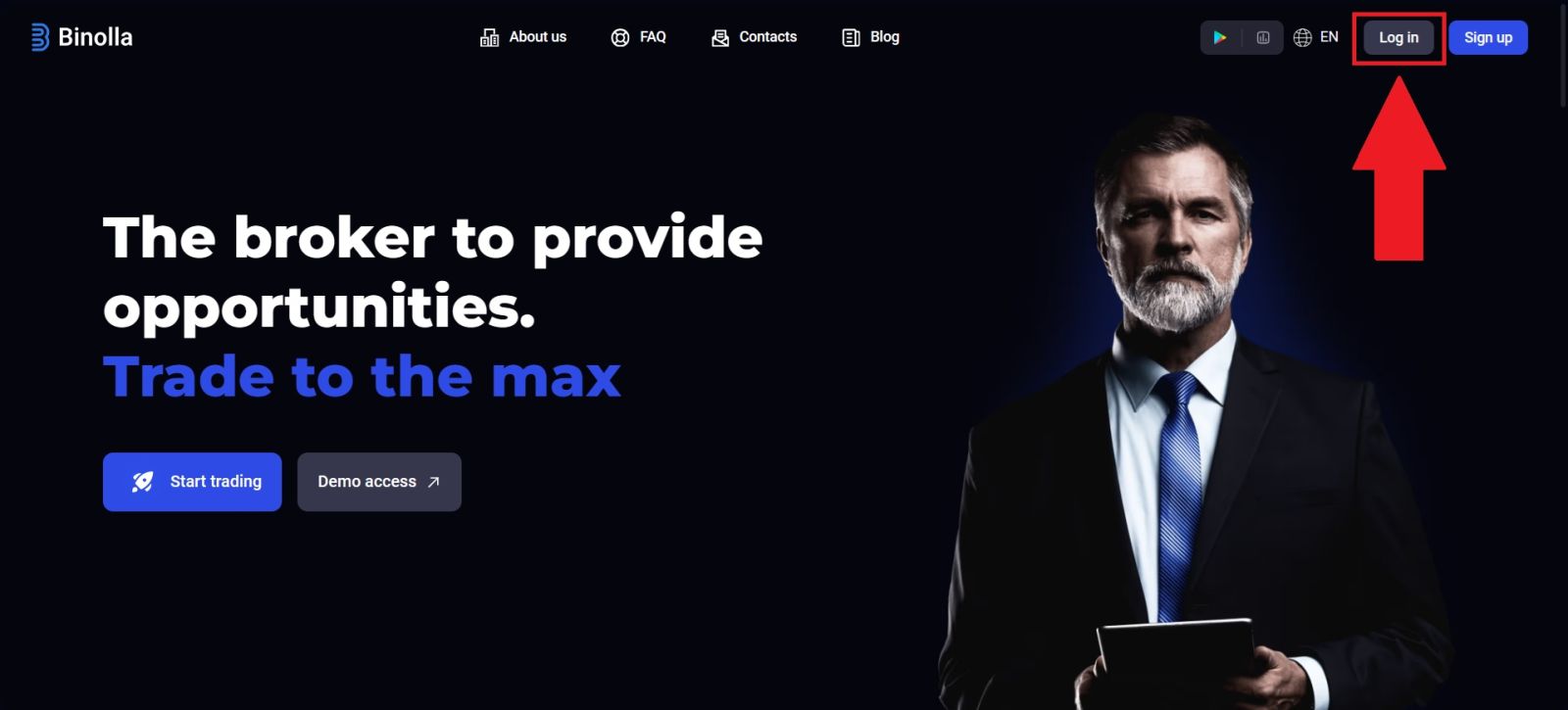
🔐 Step 1: Log in to the official Binolla website
Go to the official Binolla website and sign in to your account using your registered email address and password. Verification is an account-level process, so it starts from inside your dashboard rather than from the public homepage.
Before entering your credentials, confirm that you are on the correct domain and not a copied or suspicious page. This is especially important because account verification involves personal data and document uploads.
If you are having trouble accessing your dashboard, solve that first using the Binolla Login Guide before continuing.
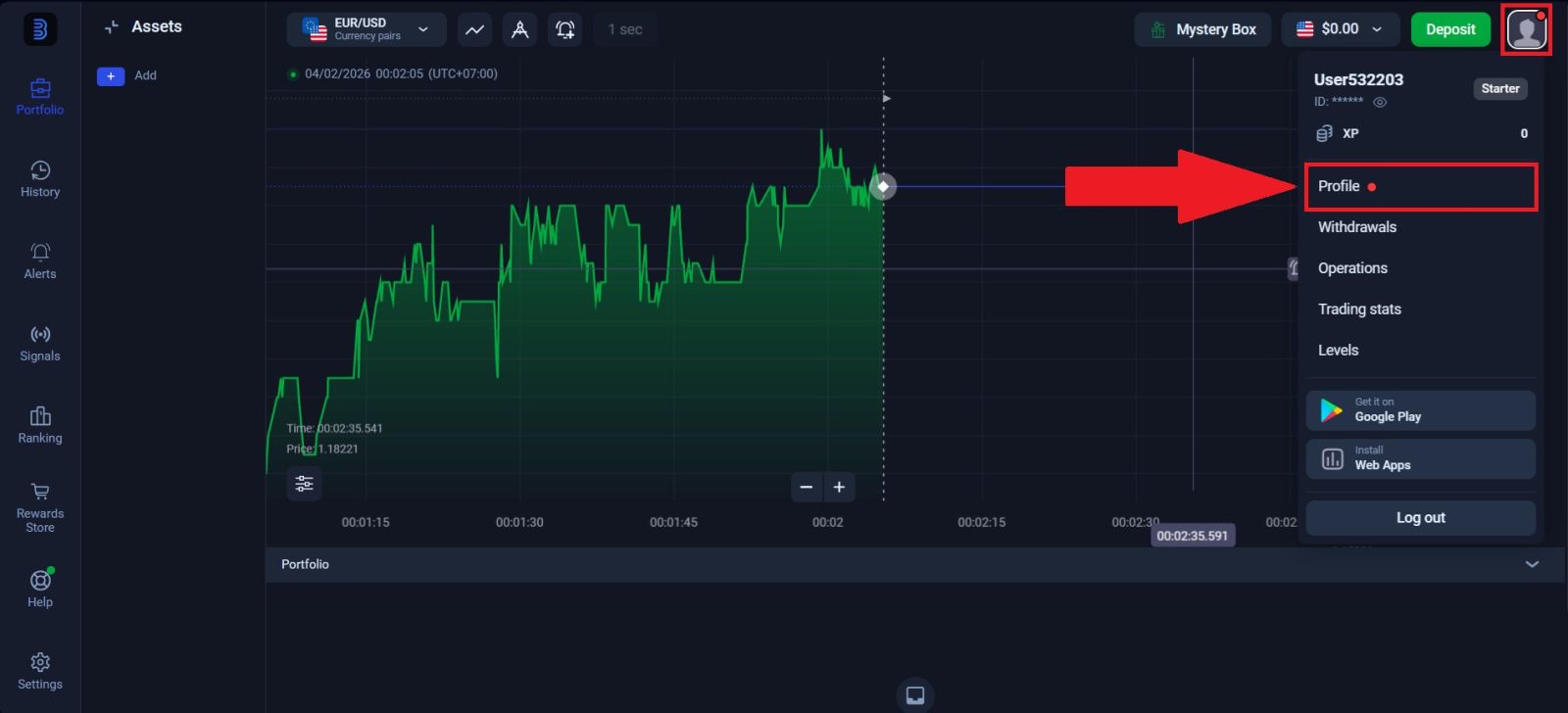
👤 Step 2: Open the profile or verification section
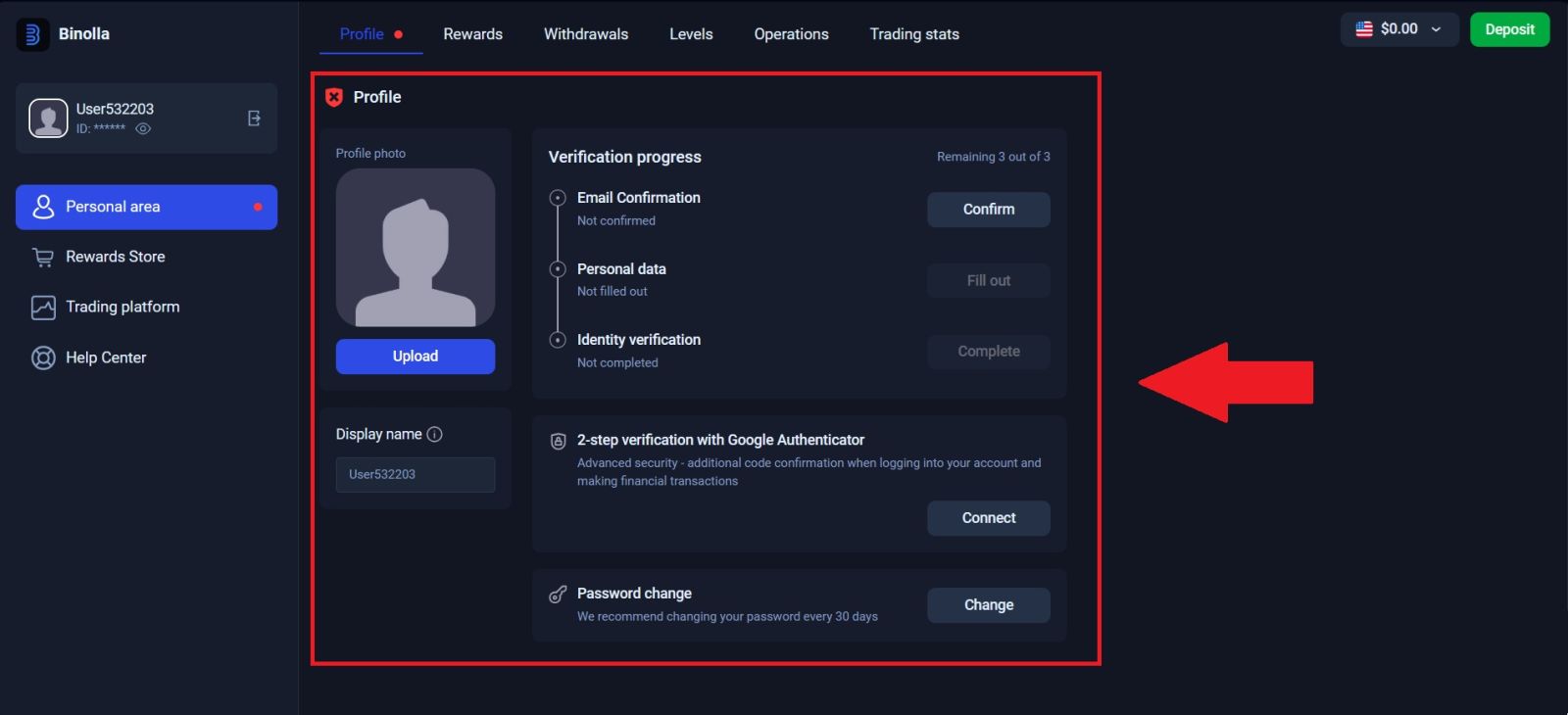
After logging in, go to the account area where your profile and personal settings are managed. This is usually the section where the platform displays account information, contact details, and verification status.
From there, look for the part of the interface that allows you to:
- confirm your email
- review personal details
- begin identity verification
- upload required files
Why this section matters
This is the control center for account completion. Registration opens access, but the profile area is where account status becomes more complete and usable. If you skip this section entirely, your account may still function in basic ways, but important features such as withdrawals can remain restricted until verification is finished.
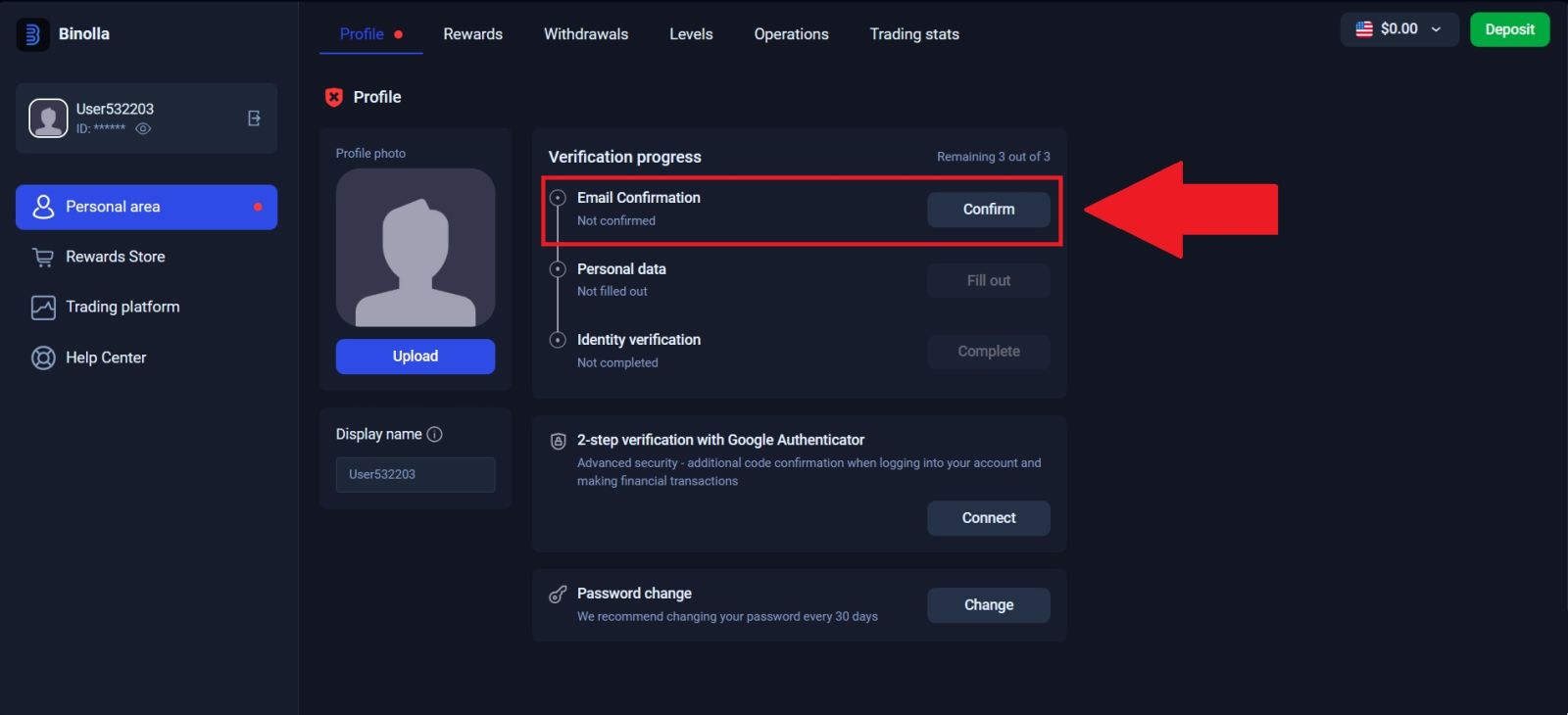
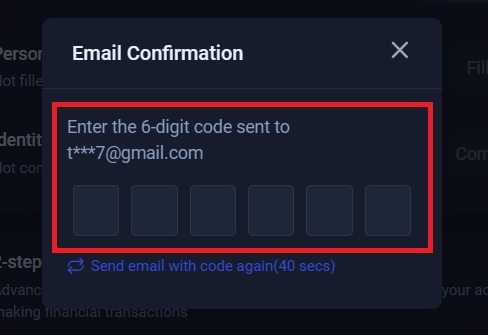
📧 Step 3: Confirm your email address
One of the earliest parts of verification is confirming your email address. This usually involves receiving a code or confirmation message at the email linked to your account and entering it in the proper field.
This step matters for two reasons. First, it confirms that you really control the email used during registration. Second, it helps support future security actions such as password recovery and account communication.
Best practice for email confirmation
When confirming your email:
- use the same inbox you registered with
- enter the code carefully and quickly if it expires
- avoid using temporary or shared email accounts
- make sure your inbox can receive platform emails normally
A verified email does not replace full KYC, but it is an important early stage in the account verification flow.
🧾 Step 4: Complete your personal information accurately
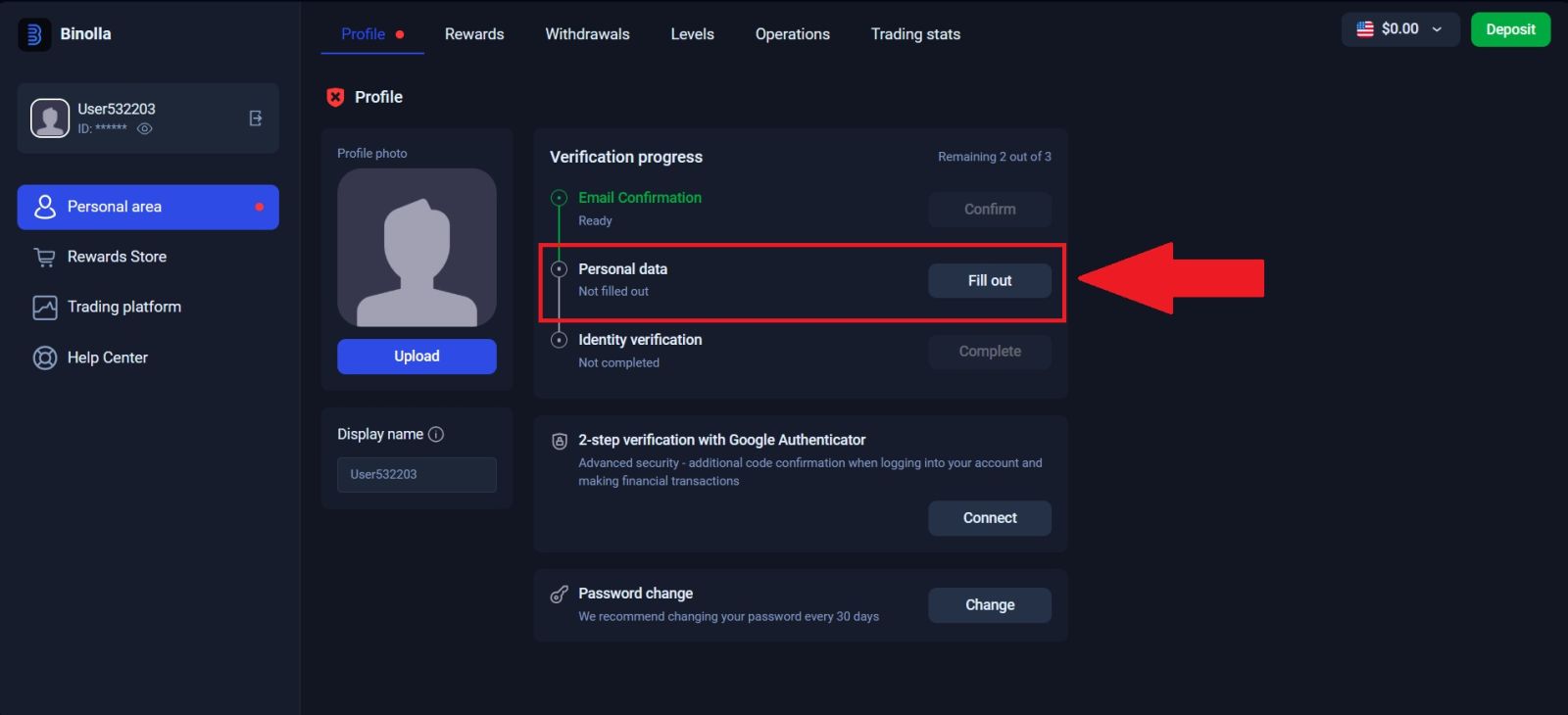
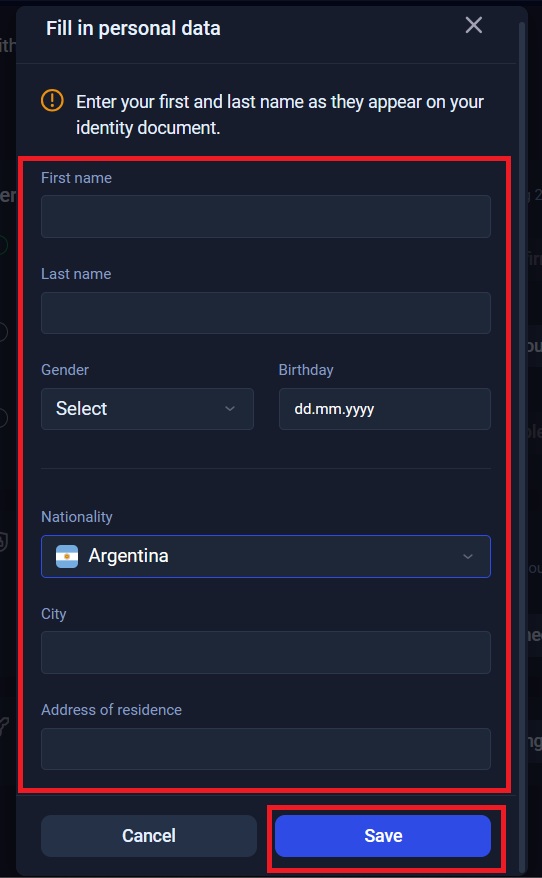
After email confirmation, you may be asked to fill in personal data. This can include basic identity details that should match your real documents exactly.
This is the stage where many users make avoidable mistakes by rushing. If the information you enter here does not match the documents you later upload, the review process can become slower and more difficult.
What to watch for when filling personal details
Be especially careful with:
- your full legal name
- date of birth
- country information
- spelling consistency
- document-based accuracy
The platform’s FAQ already makes it clear that personal information should not be entered carelessly, because changes later are not simple self-service edits.
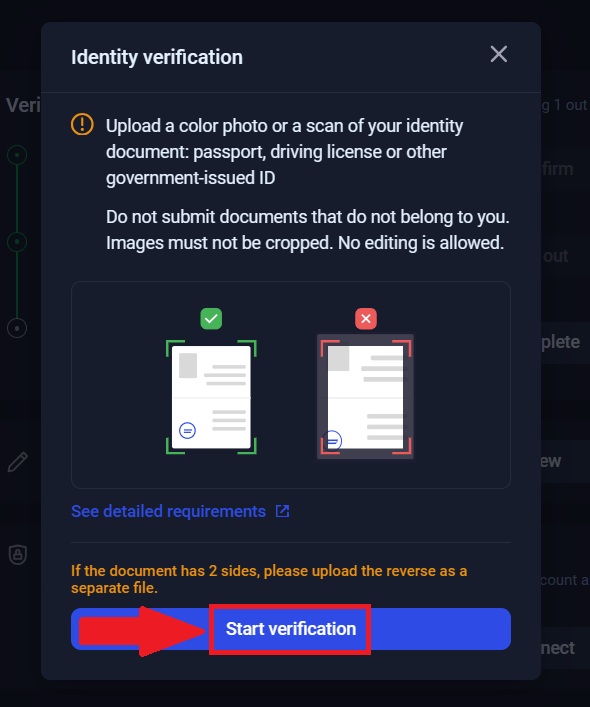
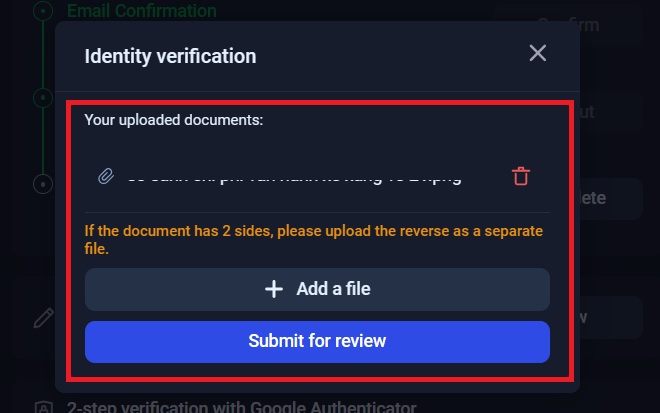
📂 Step 5: Upload the required verification documents
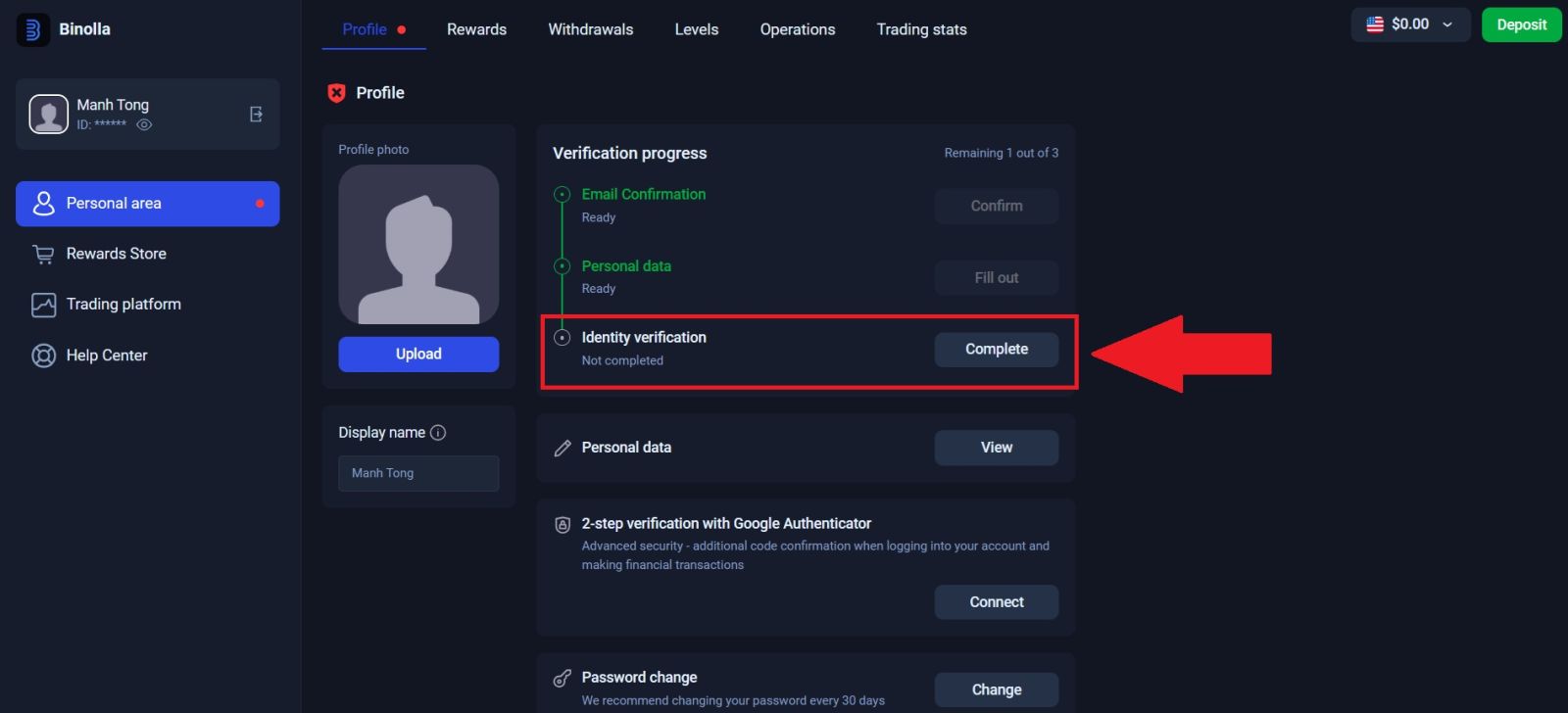
Once the account information section is complete, move to the document upload stage. This is the main KYC step and the one most directly connected to approval.
Binolla explains that users may need to upload the required documents for verification. In practice, this means your files should be:
- clear
- readable
- complete
- properly cropped
- consistent with your account data
Common document quality mistakes to avoid
To improve your chance of smooth approval:
- do not upload blurry or dark images
- do not cut off document edges
- do not hide or edit important fields
- do not upload mismatched or outdated documents
- do not submit documents that belong to another person
A strong submission usually gets reviewed faster than one that forces the platform to request corrections.
⏱️ Step 6: Wait for review and monitor approval status
After submitting your information and documents, the next stage is review. Binolla states that specialists usually try to check uploaded files on the same day, but in some cases the review can take up to five business days.
This gives you a realistic expectation: verification may be quick, but it is not guaranteed to be instant. Approval time can depend on submission quality, account consistency, and overall review volume.
What to do while waiting
While your documents are under review:
- monitor your email for updates
- avoid changing account information unnecessarily
- keep your uploaded details consistent
- wait for the platform’s decision before making assumptions
If approval takes longer than expected, it does not automatically mean rejection. It may simply mean that additional review time is needed.
💡 What happens after your Binolla account is verified
Verification is not the final goal by itself. Its real value appears when you start using the account more fully. Once verification is completed, your account is in a stronger position for financial operations and future reviews.
This becomes especially important if you plan to:
- deposit real funds
- withdraw profits
- maintain one stable long-term account
- reduce friction in payout processing
After verification, the natural next steps are funding and trading. For that, continue with how to deposit money on Binolla and how to trade on Binolla.
⚠️ Common reasons verification may be delayed
Not every delay means there is a serious problem. In many cases, account verification slows down because of simple issues in the submission process.
Frequent causes of slower approval
Verification may take longer if:
- your uploaded documents are unclear
- your account information does not match your documents
- you submit incomplete files
- your email is not properly confirmed
- your account details need additional review
This is one reason why verification should be done carefully and not treated like a quick upload task.
🎯 CONCLUSION: COMPLETE YOUR BINOLLA VERIFICATION WITH CONFIDENCE IN 2026
Verifying your Binolla account is one of the most important steps in building a complete and usable account. It supports security, helps align your account details with your identity documents, and becomes essential when you want to use withdrawal functions without unnecessary delays.
The best approach is to complete verification early, submit accurate personal information, upload clear documents, and give the review process enough time to finish properly. Once this stage is complete, your account is in a much stronger position for deposits, withdrawals, and live trading. After verification, the most useful next reads are the Binolla Deposit Guide, the Binolla Withdrawal Guide, and the Binolla Trading Guide.
👉 Read the full Binolla guide collection here: Binolla Full Guide
It covers registration, login, deposits, withdrawals, and trading in one connected hub.