How to Trade on Binolla in 2026: Indicators, Strategy Ideas and Risk Management

Trading on Binolla begins only after you understand the difference between practice mode and real-money trading. The platform gives users access to both a demo account and a real account, which means you can learn the interface, test the tools, and observe price movement before risking live funds. That makes trading on Binolla less about rushing into positions and more about understanding how the platform works, how digital trades are placed, and how to control risk from the start.
This guide explains how to trade on Binolla step by step, how to use the platform interface more effectively, which tools matter most, and how to approach strategy and risk management with more discipline.
📈 Understand what trading on Binolla actually involves
Binolla is built around short-term digital trading decisions, where the user selects an asset, chooses an amount, sets the trade conditions shown by the platform, and decides on market direction. The platform also promotes a training account, around 200 assets to trade, and more than 100 indicators plus drawing tools, which shows that Binolla expects users to combine practical execution with technical analysis rather than trade blindly.
For beginners, the most important idea is simple: trading on Binolla is not just pressing a button and hoping for the best. It is a process that starts with account setup, continues through platform practice, and only becomes real trading once the live balance is funded.
If your account is not ready yet, complete the Binolla registration guide and the Binolla deposit guide before moving into live trades.
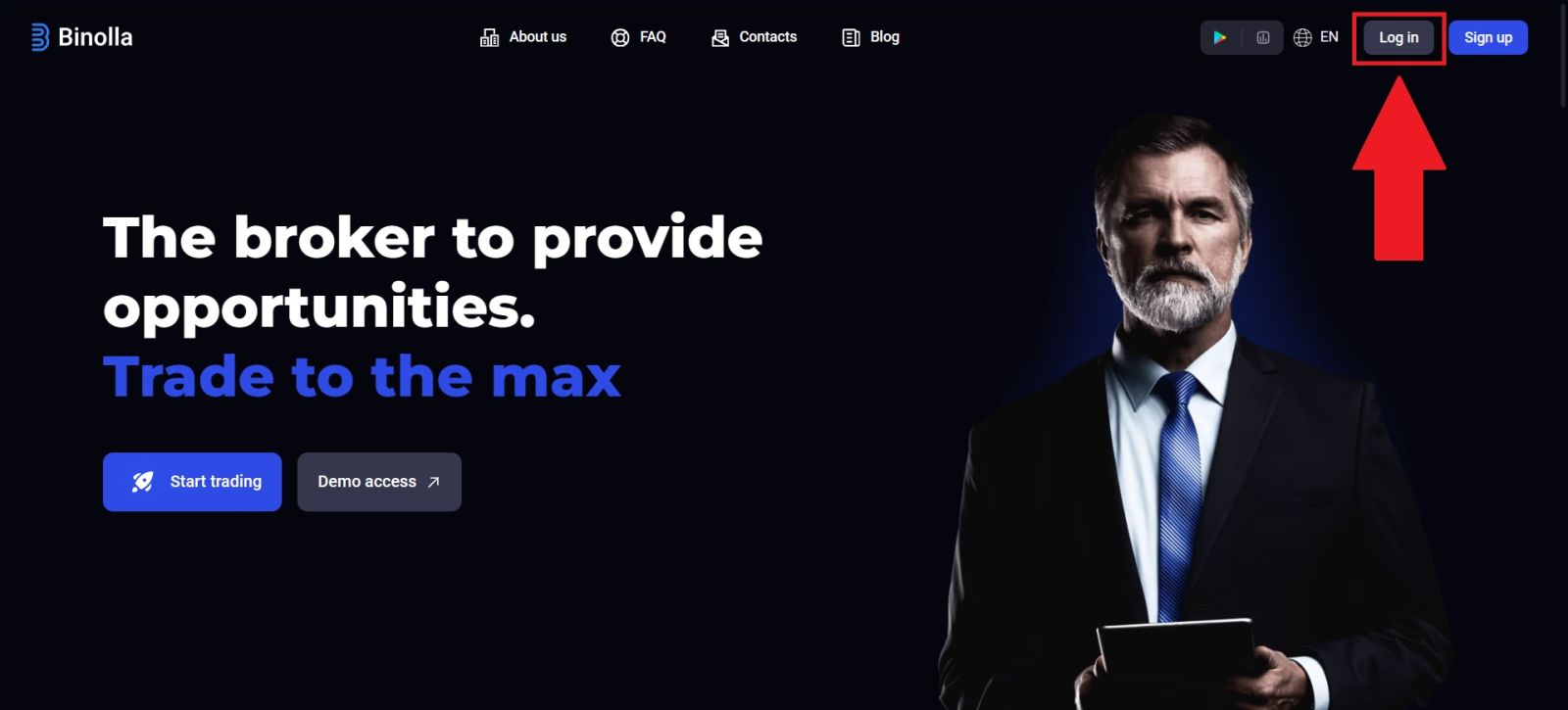
🖥️ Step 1: Log in and choose the correct account mode
The first step is to access the official Binolla website, log in to your account, and make sure you know whether you are using the demo account or the real account. This distinction matters because demo trading uses virtual funds, while real trading uses the live balance you have topped up.
Why account mode matters before every trade
Many new users confuse platform access with live trading readiness. Logging in only gives you access to the dashboard. It does not mean you are automatically trading with real money. Binolla provides both account types, so before placing any position, you should check:
- whether demo mode is active
- whether the live balance is selected
- whether your account is verified if you plan to use the full real-money workflow later
If you need help accessing your dashboard, use the Binolla Login Guide first.
🧭 Step 2: Open the trading interface and learn the layout
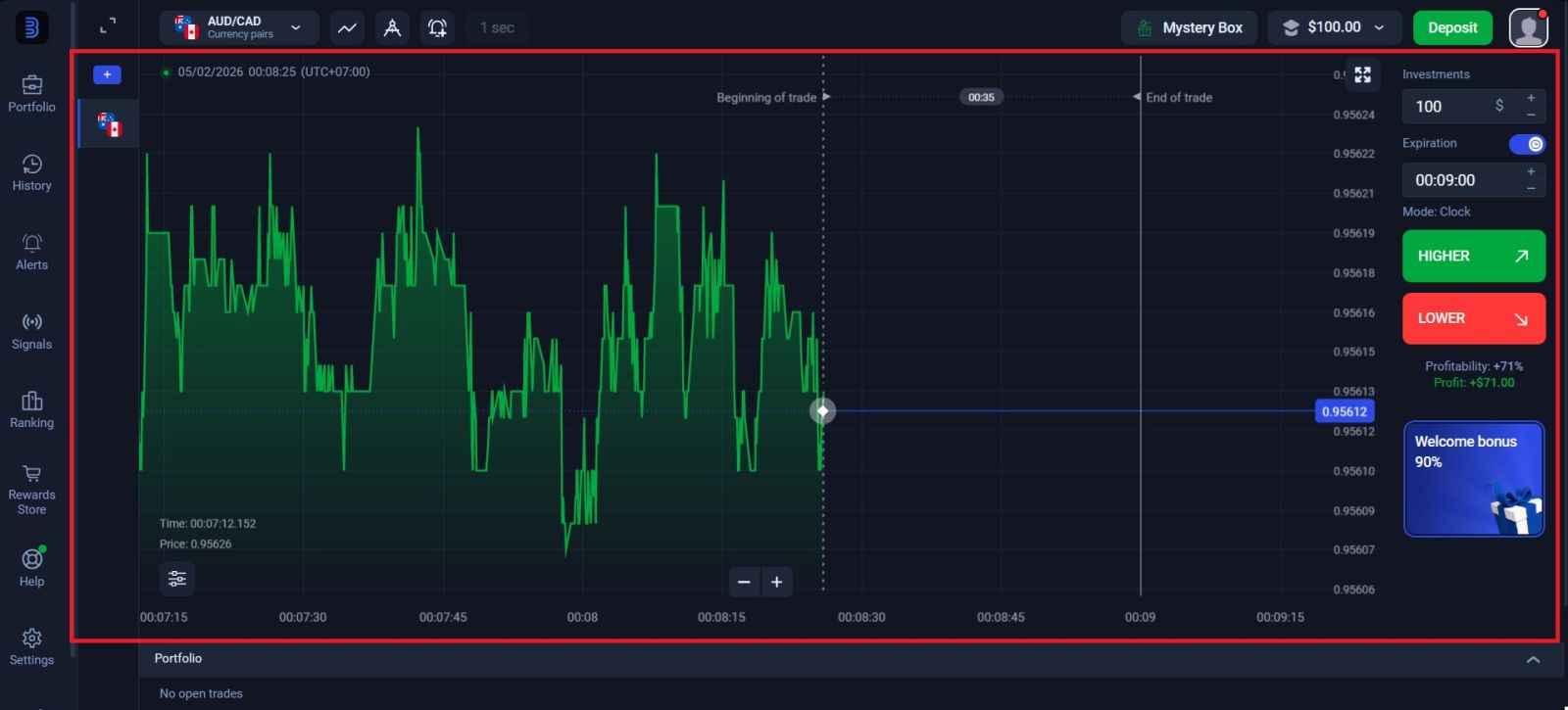
After entering the platform, move to the main trading area and study the interface before opening any position. This is one of the most overlooked parts of beginner trading. Many losses happen not because a market idea was terrible, but because the user did not fully understand the platform controls, timing panel, asset selector, or order placement flow.
Core parts of the Binolla trading screen
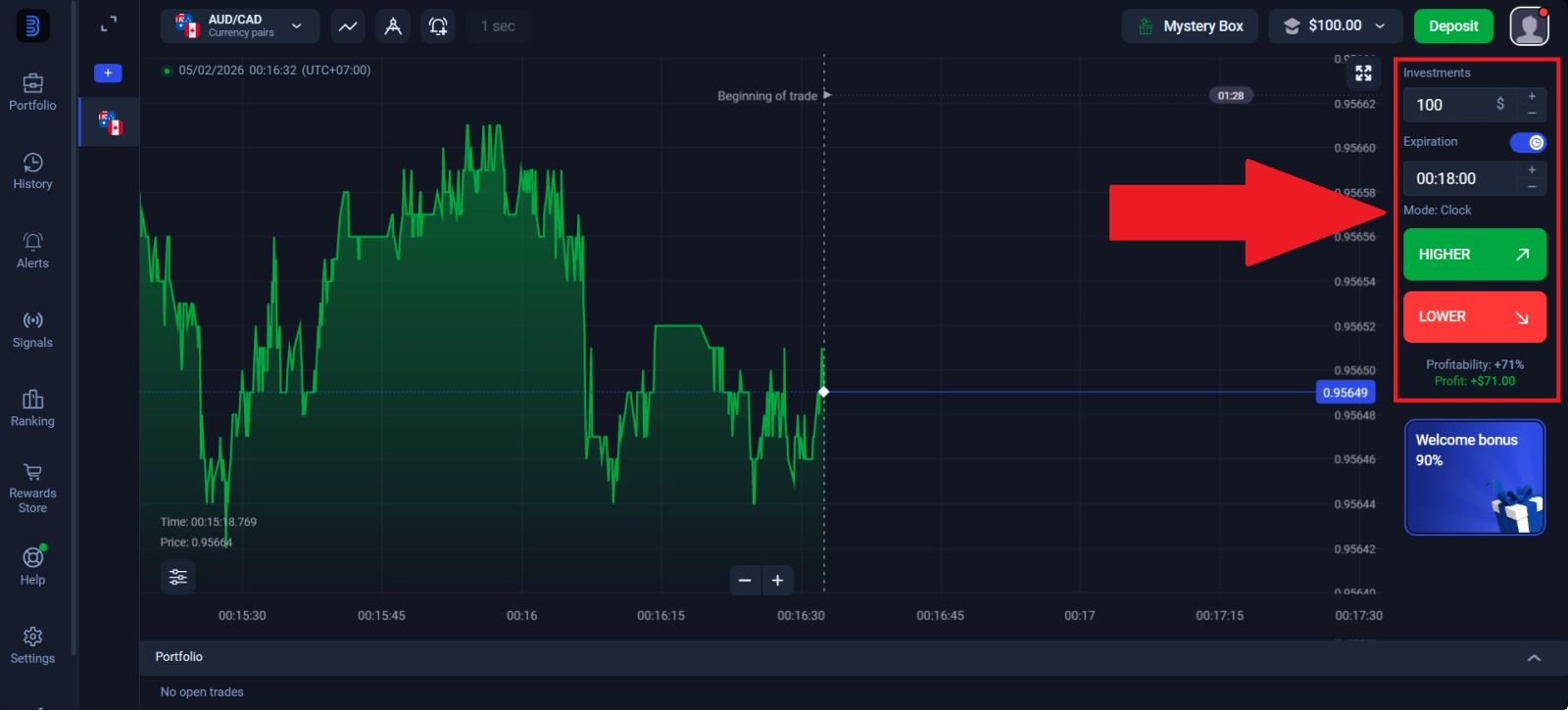
A typical trading setup on Binolla includes:
- the price chart
- the list of available assets
- the trade amount control
- the time or trade-setting area shown for the current position
- the buy/sell or direction selection controls
- access to indicators and drawing tools
Binolla highlights more than 100 indicators and drawing tools on the platform, so the interface is designed for analysis as well as execution. That means you should not treat the screen as a simple entry panel. It is also your workspace for reading price behavior and preparing better trade decisions.
🧪 Step 3: Practice on the training account first
Before using real money, spend time on the training account. Binolla promotes this feature directly and frames practice as part of the normal onboarding journey. This is one of the strongest parts of the platform for beginners because it allows you to test ideas without financial pressure.
What to practice before using real money
Use the demo account to learn:
- how to switch between assets
- how to set the position amount
- how chart movement looks on different timeframes
- how the interface reacts when you open and close trades
- how indicators affect your market reading
This stage is not just for complete beginners. Even experienced traders often need time to adapt when a platform has its own layout and execution flow. A few careful sessions in demo mode can prevent expensive mistakes later in the real account.
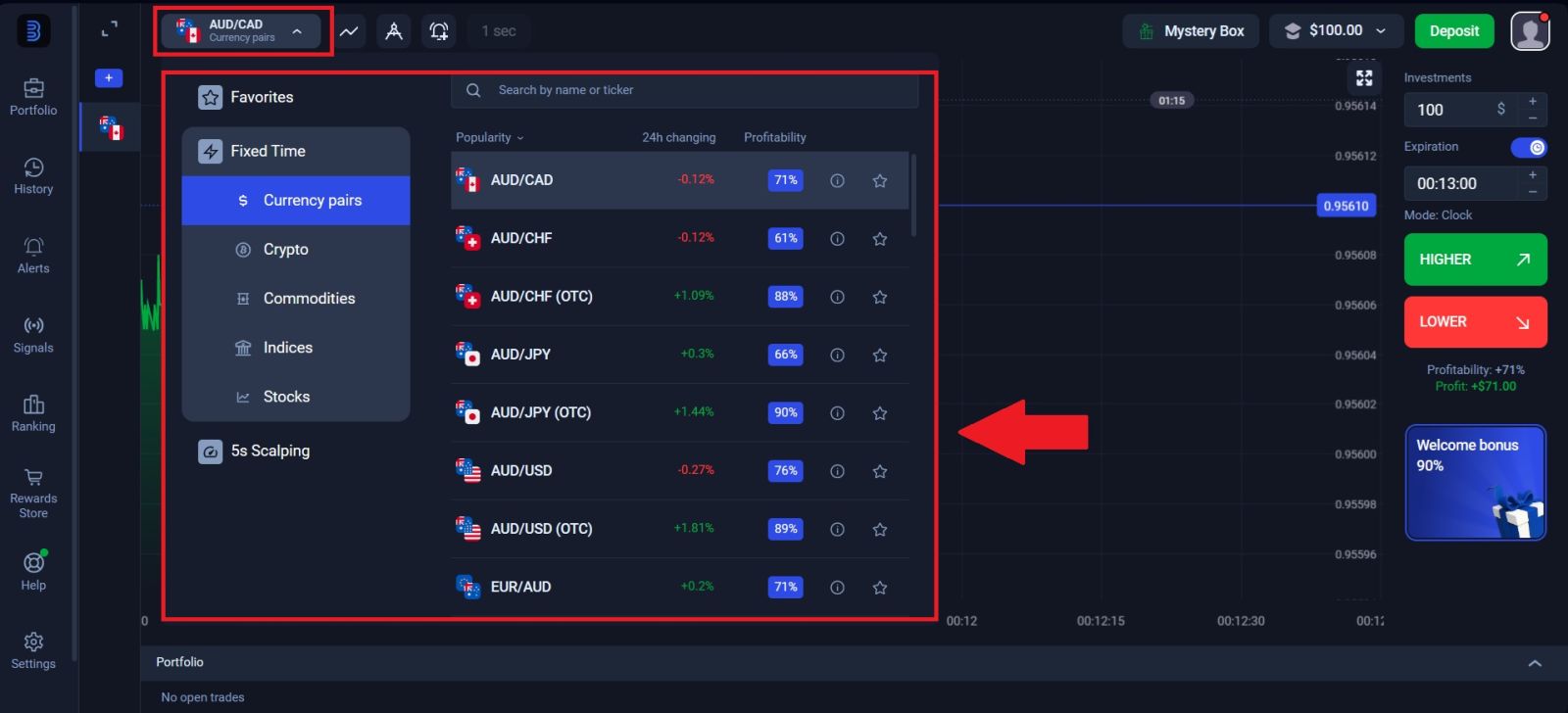
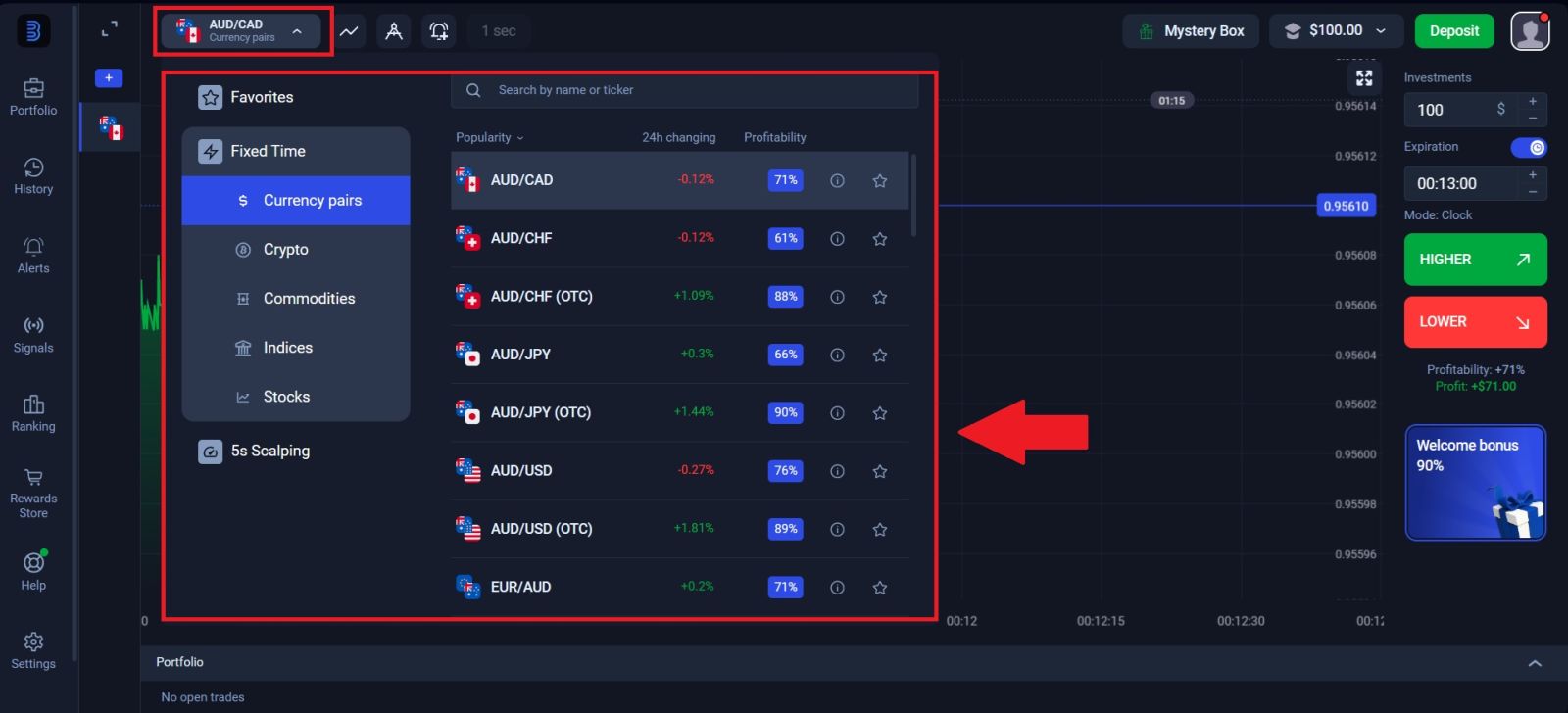
🪙 Step 4: Choose the asset and understand market behavior
Binolla promotes around 200 tradable assets, which means the platform is not limited to a single market type. With that variety comes an important trading rule: not every asset behaves the same way, and not every chart is worth trading just because it is available.
What to look for when choosing an asset
When selecting an asset, focus on:
- price movement that is clean enough to read
- volatility that matches your experience level
- chart conditions that support your strategy
- assets you understand better instead of random switching
A beginner mistake is jumping from one chart to another every few minutes. A better approach is to follow a smaller set of markets and learn how they move under different conditions.
📊 Step 5: Use indicators to improve timing, not to predict everything
Indicators can help structure your decisions, but they should not be treated as magic signals. Binolla promotes a large toolkit of indicators and drawing features, which is useful, but the real edge comes from using a few tools well rather than loading the chart with too many conflicting overlays.
A better way to use indicators
Indicators work best when they help answer practical questions such as:
- is the market trending or ranging
- is momentum strengthening or weakening
- is the move overextended
- is support or resistance nearby
For most beginners, a simpler setup is often stronger than a crowded one. It is better to understand two or three tools deeply than to use ten tools without a clear decision process.
Drawing tools are part of analysis too
Do not ignore drawing tools. Trendlines, support areas, and visible structure levels often help make the chart easier to read than indicators alone. Because Binolla includes drawing tools in its feature set, you should treat them as part of your basic workflow rather than as optional decoration.
🎯 Step 6: Build a simple strategy instead of trading randomly
A strategy is just a repeatable set of conditions that tells you when to trade, when to stay out, and how much to risk. Without that structure, most trades become emotional reactions rather than planned decisions.
A simple beginner-friendly trading framework
A practical beginner framework could look like this:
- choose one asset
- identify whether the chart is trending or ranging
- mark the nearest important level
- use one or two indicators to confirm the move
- only take the trade if the setup is clear
This kind of process is not flashy, but it is far better than opening trades because the chart “feels” like it should go up or down.
Avoid overtrading
One of the biggest problems on digital trading platforms is overtrading. Because trade execution is fast, users can easily open too many positions in a short time. That usually leads to weaker decisions, more emotional entries, and unnecessary losses. A strategy should reduce trade frequency, not increase it.
⚠️ Step 7: Use risk management on every single trade
Risk management is more important than any single indicator or strategy pattern. On platforms like Binolla, where trade decisions can happen quickly, users often focus too much on entry timing and not enough on loss control.
Risk rules that matter most
Your risk management plan should answer:
- how much of the balance you risk per trade
- how many trades you allow in one session
- how much loss is acceptable before stopping
- whether you reduce size after a bad streak
Even a good strategy can fail if the trade size is too large. A smaller position gives you more room to stay disciplined and learn from the market.
Protect the account before chasing returns
Good traders do not think only about what they can make. They also think about how quickly poor discipline can damage the balance. Preserving capital keeps you in the game longer and gives your strategy time to work.
🧠 Step 8: Review each session like a trader, not a gambler
A trading session should not end when the last position closes. The real improvement comes from reviewing what happened and spotting patterns in your decisions.
Questions to ask after trading
After each session, review:
- did I follow my setup
- was the asset choice reasonable
- did I use the demo or real account appropriately
- did I force trades that were not clean
- did I stick to my risk limits
This habit helps separate random wins from real progress. Without review, traders often repeat the same mistakes while believing they are improving.
🔄 What comes before and after trading on Binolla
Trading sits in the middle of the broader account workflow. It does not stand alone. A complete user path usually looks like this:
- register the account
- log in securely
- complete verification when needed
- deposit to the real balance
- trade with a plan
- withdraw properly when required
That full path matters because strong trading decisions are easier when the rest of the account workflow is already stable. If you still need to complete the operational side of the account, review the Binolla Verification Guide and the Binolla Withdrawal Guide.
🎯 CONCLUSION: TRADE ON BINOLLA WITH MORE STRUCTURE AND CONFIDENCE IN 2026
Trading on Binolla becomes much more effective when you stop treating it like a fast-click platform and start treating it like a structured decision process. The platform gives users the tools to practice first, study charts, use indicators, and manage trades more carefully, but those tools only help if they are used with discipline.
The strongest approach is simple: start in the training account, learn the platform layout, use a small set of tools well, build one repeatable strategy, and protect your balance with strict risk management. Once those habits are in place, your Binolla trading decisions become more consistent and far less emotional.
👉 Explore the full Binolla system: Binolla Full Guide
This hub includes complete guides for registration, login, deposit, withdrawal, verification, and trading.